
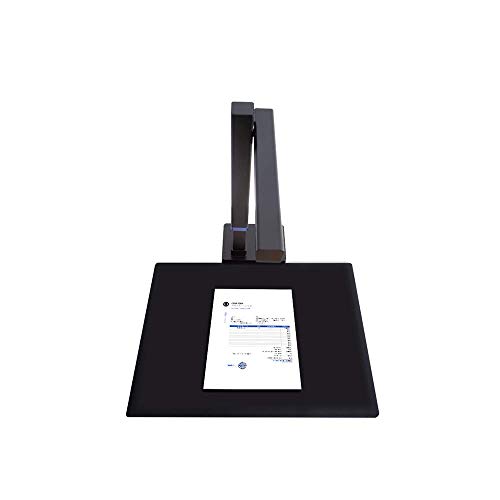
Verdict: The Shine800A3 Pro is the scanner to look at if your paper is flat and sometimes larger than letter size. CZUR lists an 8MP sensor, a capture time under 1 second, pages up to A3, an adjustable height and autofocus. It doesn't flatten book pages and has no side light, so it isn't a book scanner. For contracts, invoices, worksheets, drawings and business cards, though, it's a fast and affordable way to turn paper into searchable files.
Key specs
- Sensor: 8MP CMOS, 3280 × 2460 pixels
- Resolution: about 340 dpi at A4 and about 245 dpi at A3
- Scan area: up to A3 (420 × 297 mm)
- Stated speed: under 1 second per page
- Focus: autofocus (the A4-only Shine models use fixed focus)
- Height: adjustable, which is how it reaches the A3 area
- Lighting: top LED with stepless brightness; no side light
- Exports: JPG, PDF, searchable PDF, Word and Excel
- Text recognition: 180+ languages
- Controls: device button, software trigger and foot pedal
- Connection: USB 2.0
- Systems: Windows XP/7 or later, macOS 13 or later on Apple Silicon and 12 or later on Intel Macs
- Weight: 1 kg net
What stands out
A3 at a modest price. Plenty of compact document cameras stop at A4. The Shine800A3 Pro reaches A3 by raising the camera, so ledger sheets, drawings, maps and children's artwork fit in one capture.
Autofocus. Because the camera height changes, CZUR gives this model autofocus while its A4-only siblings use fixed focus. That helps the camera stay sharp whether you're scanning a business card or a full A3 sheet.
Speed for flat paper. With a capture time under a second and no warm-up, the Shine is quick for a stack of single pages you place one at a time. Auto-scan can trigger the next capture when you swap the page, and the foot pedal is there if you'd rather control it yourself.
Useful software. CZUR's software crops and straightens each page, can combine front and back into one file, and runs text recognition into searchable PDF, Word or Excel. Smart paging and manual area selection help when you only need part of a page.
What to watch
This isn't a book scanner. CZUR's spec sheet gives the maximum document thickness as a single page, and the Shine series doesn't include the laser-guided curve flattening found on the Aura Pro and ET MAX. A book placed under it will show a curved gutter. (One CZUR product page also mentions content up to 1.96 inches thick; the spec table contradicts that, so we've gone with single pages.)
Resolution drops at A3. CZUR lists about 245 dpi at full A3, against about 340 dpi at A4. That's fine for text and recognition, but it's not the choice for detailed artwork archiving.
There's no side light, so glossy paper may pick up glare from the top light.
Who it's for
- Home offices digitizing bills, receipts, contracts and tax papers
- Teachers and students scanning worksheets and A3 projects
- Designers who need quick reference captures of drafts and sketches
- Families archiving certificates, letters and postcards
How it compares
Against the Lens800 Pro, the Shine800A3 Pro adds A3 capacity, autofocus, adjustable height and foot-pedal control, while the Lens is smaller, cheaper and doubles as a webcam. If you need to scan bound books, step up to the Aura Pro, which adds curve flattening and a side light. The full lineup is in the CZUR review, and the document scanners page groups the flat-page models.
Setup tips
Set the camera height to match your largest document, then use the supplied mat as a contrast background so cropping finds the page edges. Turn the top light down a step for glossy paper to reduce reflections. For receipts and cards, use manual selection or multi-item capture rather than one capture per item.
FAQs
Can the Shine800A3 Pro scan books? It isn't designed for them. CZUR lists single pages as the maximum thickness, and it lacks the curve flattening of CZUR's book models.
What's the largest page it can scan? Up to A3 (420 × 297 mm), with the camera raised.
What resolution does it scan at? CZUR lists about 340 dpi at A4 and about 245 dpi at A3.
Does it work with a Mac? Yes. CZUR lists macOS 13 or later on Apple Silicon and 12 or later on Intel Macs, plus Windows XP/7 or later.
Can it create searchable PDFs? Yes. Exports include searchable PDF, Word and Excel, with text recognition in 180+ languages.