
CZUR ET MAX vs ET24 Pro: What the Upgrade Gets You
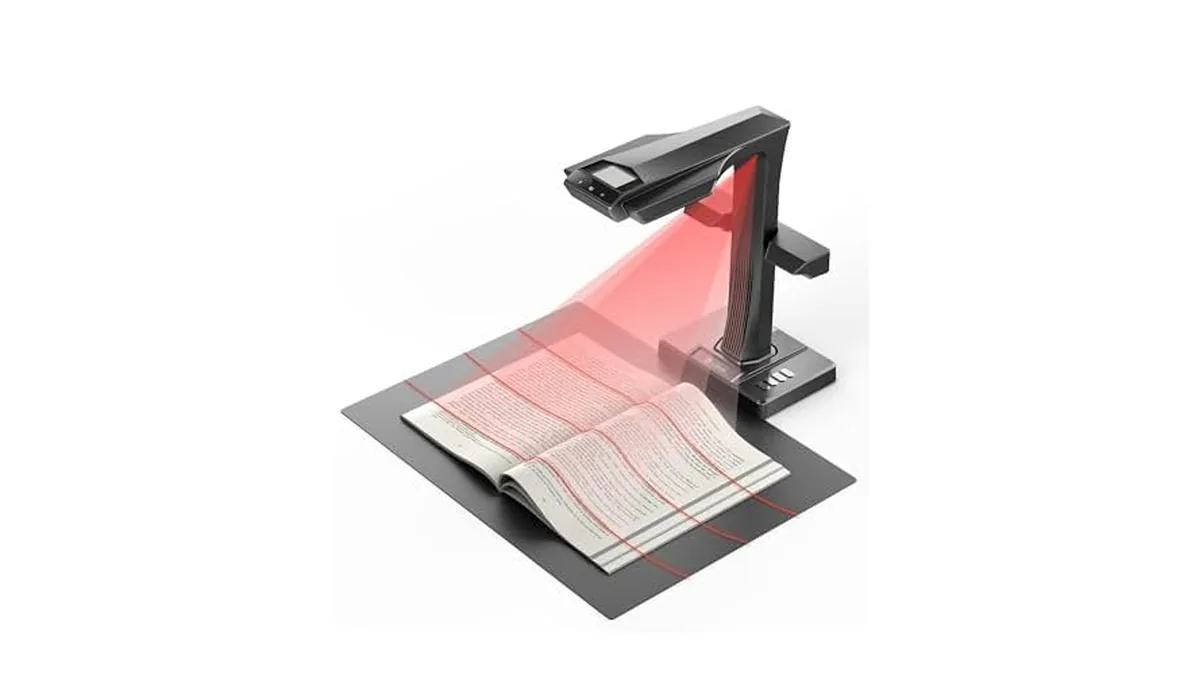
The ET MAX and the ET24 Pro are two of CZUR's ET overhead book scanners, and on CZUR's own spec sheets they share almost everything: the bed size, the book depth, the speed, the HDMI port and Linux support. The gap is the camera. The ET MAX has a 38MP sensor with a default of 410 dpi. The ET24 Pro has 24MP and 320 dpi.
So the real question is whether you need that extra detail. Below we go through what the two have in common, where they differ and how to decide.
What the two scanners share
According to CZUR's spec tables for the ET series, both models give you:
- A3 maximum document size (420 × 297 mm)
- Up to 50 mm of book thickness at A4, and 35 mm at A3, in CZUR's scanner comparison
- About 1.5 seconds per scan
- Curve flattening for bound books, automatic page splitting and fingertip removal, so you can hold a book open while it scans
- Page-turn detection with automatic scanning, plus a hand button, a foot pedal, a button on the scanner and a button in the software
- A built-in LED array with two brightness levels and an attachable LED side light
- Text recognition (OCR) in 180+ languages, with exports to Word, Excel, TIFF and searchable PDF
- An HDMI port and a visual presenter mode, so either can show pages on a screen in real time
- Support for Windows 7 through 11, macOS 12 or later on Intel Macs, macOS 13 or later on Apple Silicon, and Ubuntu 20.04 to 24.04
That last pair matters more than it looks. CZUR's comparison page says that if you run Linux and need HDMI, the ET24 or the ET MAX is the one to choose. CZUR lists HDMI for the ET24 Pro, ET25 Pro and ET MAX only, not for the ET16 Plus or ET18 Pro.
Where they differ
| CZUR ET MAX | CZUR ET24 Pro | |
|---|---|---|
| Sensor | 38MP | 24MP |
| Image size | 7168 × 5376 pixels | 5696 × 4272 pixels |
| Default resolution | 410 dpi | 320 dpi |
| Color modes | Adds Auto Enhance to color, B&W, grayscale, stamps and patterns | Color, B&W, grayscale, stamps and patterns |
| Other export formats | JPG, PDF and BMP | JPG and PDF |
CZUR also calls the ET MAX the ET26 Pro on its product site, which explains why you'll see both names.
What 410 dpi buys you
A camera-based scanner spreads its pixels across whatever is on the bed. More pixels mean more detail per inch of paper. For ordinary book text you'll read on screen or search later, 320 dpi already captures the page clearly. The extra detail of 410 dpi shows up most on small type such as footnotes and indexes, on maps and technical drawings, and on photos or illustrations you plan to enlarge or print. Our scanner dpi explainer puts every CZUR model's figure side by side and shows how much detail each job needs.
Bigger files
The ET MAX's images have about 1.6 times as many pixels as the ET24 Pro's (38.5 million against 24.3 million). Expect bigger files for every page. If you're scanning whole libraries, that adds up on your drive and in cloud storage.
Small software extras
The ET MAX adds an Auto Enhance color mode and BMP export. Both are conveniences rather than reasons to buy. The core software, from curve flattening to OCR, is the same on both. If either scanner does not show up on your computer after setup, the CZUR scanner not detected checklist walks through the fixes in order.
A quick decision path
- Do you scan mostly books for reading, note-taking or searchable PDFs? The ET24 Pro covers that, with the same speed, bed and book depth.
- Do you scan maps, drawings, fine print or photos you want to zoom into or reprint? Take the ET MAX for the extra resolution.
- Do you need HDMI output or Linux support? Either works. The ET16 Plus and ET18 Pro don't have HDMI in CZUR's specs.
- Is storage tight, or are you scanning thousands of pages a month? The ET24 Pro's smaller files are easier to manage.
- Do you want the most detail CZUR offers in this body? That's the ET MAX.
One more detail from the ET MAX product page: CZUR doesn't recommend it for glossy or highly reflective materials, and it notes that Thai and Hebrew aren't supported by the OCR, with Arabic recognized only on Windows. The ET24 Pro runs the same software family, so check the language list for either model if you scan in those scripts.
If the ET MAX fits, our CZUR ET MAX page has the full spec rundown and setup tips. For lighter books, the CZUR Aura Pro folds away, and the CZUR vs ScanSnap SV600 comparison covers the best-known alternative outside CZUR. Still choosing between scanner types? Start with how to choose a CZUR scanner.